


Explore engaging software product videos showcasing features, benefits, and real-world applications. See Cimatron 2025 in action today!

Product Videos - Cimatron 2025
NC Process Manager | Cimatron 2025
👇 Explore what’s new in Cimatron 2026:
https://www.cimatron.com/en/whats-new
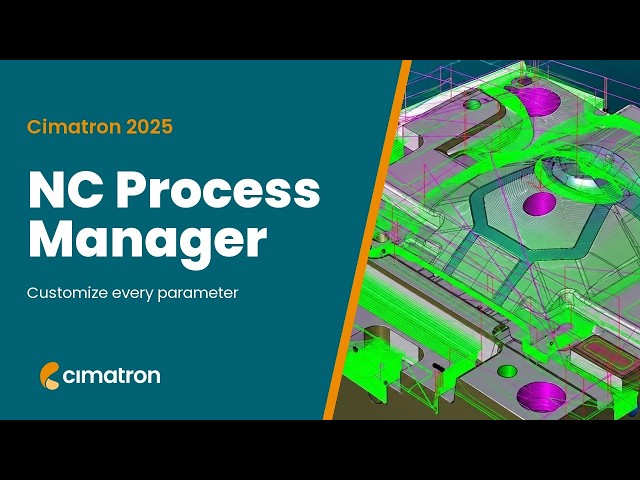
Cimatron 2025 offers more parameters (i.e., columns) for customization of your display in the Process Manager including Part Offset, Tolerance, Down Step, Sidestep, Feed, Spin, Fz, Vc., Coolant, Electrode Spark Gap, 2D Orbit. Users control which parameter to display and their order using a column chooser. Save and Load the Process Manager Columns configurations is also enabled.
Discover what's new in Cimatron 2025:
https://www.cimatron.com/en/whats-new-2025

Modeling – Chord Length Round | Cimatron 2025
👇 Explore what’s new in Cimatron 2026:
https://www.cimatron.com/en/whats-new
In Cimatron v2025, Round has a new input type to define the round size - by Constant Chord Length. Rather than enter the radius value, the value that controls the size of the Round is the chordal distance across the round. Chord length rounds are still rounds with an arc section, and will have a variable radius measurement, dependent on the geometry they are applied on.
Like any other round, chord length rounds remain tangential (C1) to the neighboring faces. In some geometrical areas, a round made with a constant chord length will be more uniform and provide a preferable and less stressful shape - This is often preferred for Die design.
Discover what's new in Cimatron 2025:
https://www.cimatron.com/en/whats-new-2025

NC Template Manager | Cimatron 2025
👇 Explore what’s new in Cimatron 2026:
https://www.cimatron.com/en/whats-new
Cimatron 2025 enables support of cutter change in addition to parameters such as Vc, Fz, feed, Spin, Down Step, Side-Step, coolant. This new feature saves significant time when making edits to your existing CNC programs.
Discover what's new in Cimatron 2025:
https://www.cimatron.com/en/whats-new-2025

NC Process – Multi Edit of Procedures' Parameters | Cimatron 2025
👇 Explore what’s new in Cimatron 2026:
https://www.cimatron.com/en/whats-new
Multi Edit of Procedures' Parameters now includes Viewing, Editing, and Mass-Editing of Multi procedures’ parameters. All procedures are shown in a table where each row represents a procedure, and each column represents a parameter. More than 25 most important parameters are editable including Tolerance, Offset, Down Step, Side Step, Machining Parameters to name just a few. Additionally a Column Chooser is available.
Discover what's new in Cimatron 2025:
https://www.cimatron.com/en/whats-new-2025

Cimatron CAM-5X – Auto Tilt | Cimatron 2025
👇 Explore what’s new in Cimatron 2026:
https://www.cimatron.com/en/whats-new
For 5-axis machining, Cimatron CAM-5X allows the automatic use of remaining stock from previous 3-axis operations during roughing and updates the remaining stock. This enables the use of shorter cutters for greater stability and safe machining. Check out the new features here.
Discover what's new in Cimatron 2025:
https://www.cimatron.com/en/whats-new-2025

Cimatron CAM-3X – Profile | Cimatron 2025
👇 Explore what’s new in Cimatron 2026:
https://www.cimatron.com/en/whats-new
Profile toolpath now supports four Approach/Retract extension options- None, Line, Arc, Natural. To avoid entering and exiting a profile at the same point, and risking leaving a tool mark at that location an Extension is used. A new fourth extension type has been added. The enhanced Extensions are None, Line, Arc, Natural for tool Approach and Retract. The image depicts an inner profile with the new Natural extension coupled with the Arc Approach/Retract.
Discover what's new in Cimatron 2025:
https://www.cimatron.com/en/whats-new-2025

Plot and Print Automation | Cimatron 2025
👇 Explore what’s new in Cimatron 2026:
https://www.cimatron.com/en/whats-new
Cimatron 2025 now automates the print and plot orientation (landscape/profile), paper size, and enables oversized paper. Printing and plotting has never been easier. Use print/plot to PDF to help meet your company’s sustainability targets. Go Green!
Discover what's new in Cimatron 2025:
https://www.cimatron.com/en/whats-new-2025

Drafting – Select Multi-Views for Actions | Cimatron 2025
👇 Explore what’s new in Cimatron 2026:
https://www.cimatron.com/en/whats-new
Cimatron 2025’s Drawing tree now allows for selection of multiple views, making many common drafting tasks easier. The available actions on multi-selected views can be accessed by simply clicking the right mouse button -RMB-. Most View maintenance activities are allowed on multi-selected views, including Hide/Show, Rename, Delete, Align, and Move to different sheets. Most view edits can be performed on multi-selected views including Editing View scale, Show/Hide PMI, Position of view names, and Changing view attribute display.
Discover what's new in Cimatron 2025:
https://www.cimatron.com/en/whats-new-2025
Drafting – Enhanced Dialog for Hole Dimensioning
👇 Explore what’s new in Cimatron 2026:
https://www.cimatron.com/en/whats-new
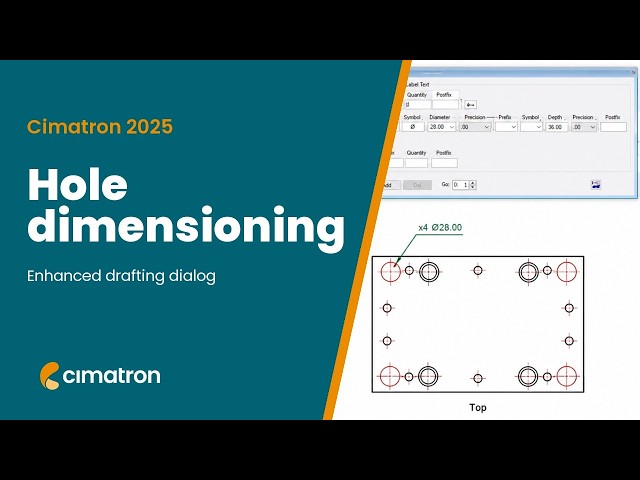
Cimatron 2025 includes an upgrade to Hole Dimension as a new dimension type that describes the full geometry of a hole. Hole Dimensions are label-like dimensions that are fully supported by common drafting standards like ISO, ANSI, and JIS, including commonly used symbols. The modeling-based hole knowledge that contributes data to a table of holes is used to build a hole dimension.
Discover what's new in Cimatron 2025:
https://www.cimatron.com/en/whats-new-2025
Electrode – EDM Setup – Save and Load EDM Values from Template | Cimatron 2025
👇 Explore what’s new in Cimatron 2026:
https://www.cimatron.com/en/whats-new
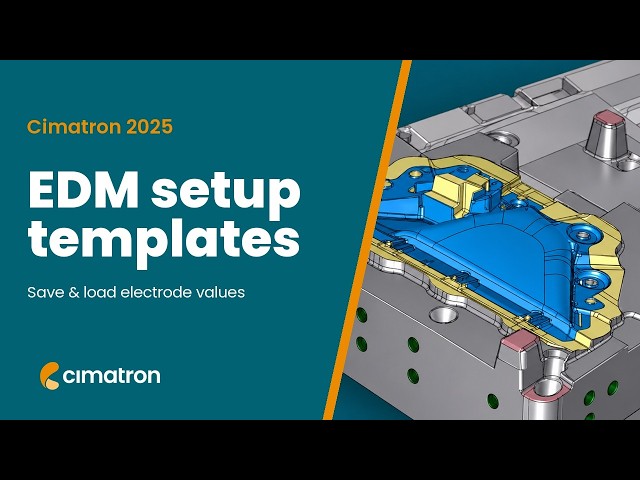
Electrode design is a critical aspect of the mold production process. Version 2025 furthers the EDM Automation process. EDM machine operators need to fill in the EDM data for each Electrode and sometimes even for each Location. This is a repetitive task, often prone to mistakes. Being able to Save/Load Electrode or Location values as a Template automatically populates the relevant fields.
Discover what's new in Cimatron 2025:
https://www.cimatron.com/en/whats-new-2025

Modeling – Hole by Screw Size | Cimatron 2025
👇 Explore what’s new in Cimatron 2026:
https://www.cimatron.com/en/whats-new
In v2025 it is now possible to define a threaded hole by a selected screw specific size. Holes can be defined by two options, By Dimension (as before), By Cap Screw. The new capability applies to all the existing types of holes, Simple Hole, Counter-Bored, Counter-Sunk and Counter-Drilled.
Counterbored, Countersunk, or Counter-Drilled holes defined by Cap Screw will be sized by the known clear drill, counterbore, and taper angle dimensions and support Normal, Close, or Loose fits.
Discover what's new in Cimatron 2025:
https://www.cimatron.com/en/whats-new-2025