


The product videos for Cimatron 2026 showcase advanced features and enhancements in CAD/CAM software for improved manufacturing efficiency and precision.

Product Videos - Cimatron 2026
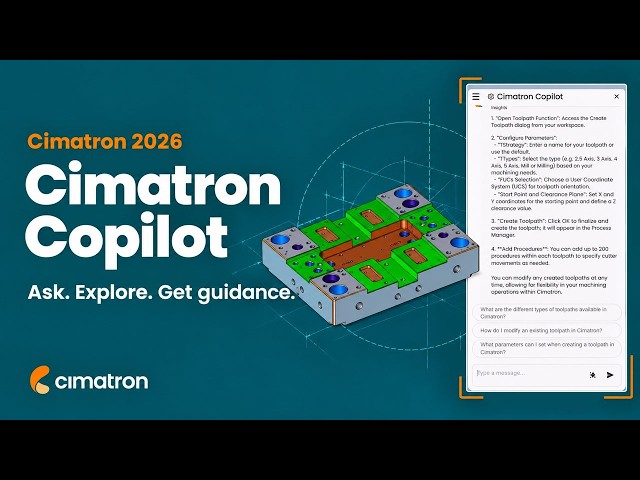
Cimatron Copilot | Cimatron 2026
👇 Discover what is new in Cimatron 2026:
https://www.cimatron.com/en/whats-new
New Cimatron Copilot – Cimatron 2026
Meet the new Cimatron Copilot, introduced in Cimatron 2026 as your personal assistant for navigating the software more efficiently.
Designed to support users at every stage, Cimatron Copilot is trained to answer questions, provide guidance, and help streamline daily workflows. Its interactive interface allows you to ask follow-up questions, respond to answers, and explore features more intuitively.
With faster access to information and built-in support, Cimatron Copilot helps users work more confidently and get more out of their Cimatron experience.
https://www.cimatron.com/en/whats-new

New Electrode Functionality | Cimatron 2026
👇 Explore what’s new in Cimatron 2026:
https://www.cimatron.com/en/whats-new
New electrode functionality – Cimatron 2026
Explore the new electrode functionality in Cimatron 2026, developed to improve reliability, accuracy, and ease of use.
Built-in safeguards now alert users when a reference user coordinate system (UCS) is not defined and automatically assign the correct UCS values for electrode and milling processes. Enhanced control over electrode and holder positioning ensures consistent alignment, with synchronized rotations and flexible options for manual or automatic adjustments.
Additional improvements streamline electrode preparation, including automatic blank fitting to the holder and updated drawing displays that eliminate overlap for greater accuracy and readability. These enhancements help simplify complex electrode workflows while reducing the risk of errors.

Upgrades to Motion Editor 2026 | Cimatron 2026
👇 Explore what’s new in Cimatron 2026:
https://www.cimatron.com/en/whats-new
Explore the upgrades to the motion editor in Cimatron 2026, designed to enhance performance and provide greater control during toolpath editing.
Users can now benefit from faster performance, along with new “undo” and “redo” functionality for more flexible editing. Enhanced safeguards, including gouge prevention and collision checking against surfaces, help ensure more reliable results.
Additional improvements allow users to exit the editor with unconnected gaps and automatically reconnect toolpath gaps created during motion deletion, streamlining the editing process while maintaining toolpath integrity.

Loft Twist Control | Cimatron 2026
👇 Explore what’s new in Cimatron 2026:
https://www.cimatron.com/en/whats-new
Explore the improved control of loft twist in Cimatron 2026, developed to give users greater precision when creating lofted geometry.
When a lofted shape results in unwanted twisting, the enhanced “loft” function provides control over the direction and starting point of the loft. This allows users to better manage how geometry transitions between sections.
With the ability to identify and correct twisted results, users can achieve cleaner, more accurate surfaces and maintain greater control throughout the modeling process.

Procedures & Toolpaths Copy | Cimatron 2026
👇 Explore the latest Cimatron 2026 capabilities:
https://www.cimatron.com/en/whats-new
Copying machining processes and toolpaths – Cimatron 2026
Explore the enhanced flexibility for copying machining procedures and toolpaths in Cimatron 2026.
Users can now open multiple NC files within a single Cimatron session, making it easier to transfer data between projects. The cutter manager can be accessed directly from an NC file, allowing tooling data to be quickly copied to another file.
A toolpath or groups of toolpaths can now be copied and pasted between NC files, supporting everything from 3-axis to full 5-axis operations. These improvements help streamline workflows, reduce repetitive setup, and increase overall programming efficiency.
https://www.cimatron.com/en/whats-new

Fillet Gap Correction | Cimatron 2026
👇 Explore what’s new in Cimatron 2026:
https://www.cimatron.com/en/whats-new
Explore the fillet gap correction enhancements in Cimatron 2026, designed to improve model accuracy and streamline surface preparation.
Users can quickly select faces to detect fillet gaps, with the system identifying and highlighting any gaps that exceed defined tolerance values. Built-in alerts ensure that issues are clearly visible and easy to address.
The “fillet gap correction” function enables fast and efficient repair of these errors, helping restore surface continuity. Once corrected, rechecking the model confirms that no gaps remain, ensuring clean, accurate geometry for downstream processes.
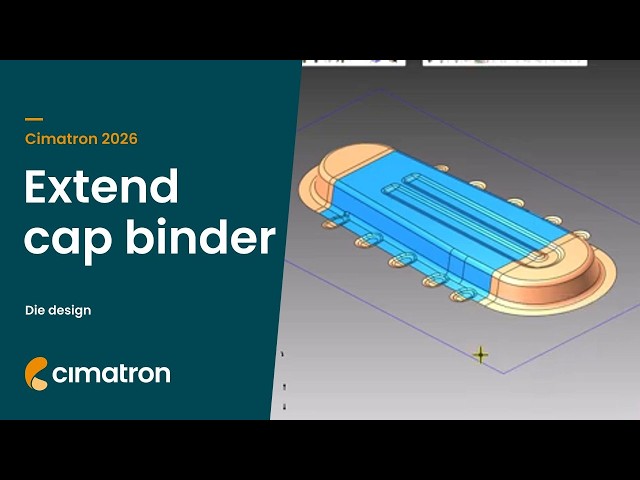
Extend Cap Binder – Die Design | Cimatron 2026
👇 Explore what’s new in Cimatron 2026:
https://www.cimatron.com/en/whats-new
Explore the enhanced die design capabilities in Cimatron 2026, including extended functionality for cap binder surface creation.
Users can create composite curves and achieve smooth, accurate results using tangent and rounded options. Direction vector controls make it easy to define and generate the desired shapes with precision.
Additional tools such as the “extend planar” function help close gaps and create clean surface extensions, while the “divided by object” function supports efficient generation of forming punches and dies.
These improvements provide greater control and flexibility throughout the die design process.
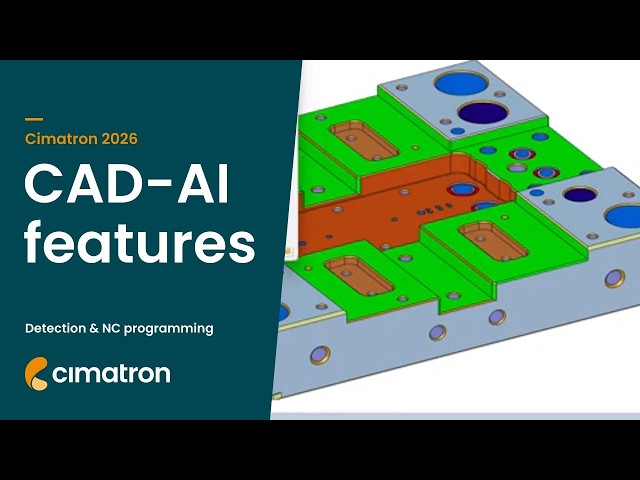
Cimatron CAD-AI Features Detection & NC Programming | Cimatron 2026
👇 Explore what’s new in Cimatron 2026:
https://www.cimatron.com/en/whats-new
Cimatron CAD-AI & NC programming improvements – Cimatron 2026
Explore the latest CAD-AI feature detection and NC programming improvements in Cimatron 2026.
Advanced AI-based automatic feature detection makes it possible to quickly identify pockets, slots, chamfers, rounds, and holes in seconds — even in complex mold plates. Integrated NC templates and the NC process manager further streamline programming, with processes automatically assigned to feature types using intuitive color coding.
Enhanced toolpath calculation and comprehensive simulation capabilities for roughing, slot machining, pocket floors and walls, and drilling operations, help ensure accuracy, efficiency, and confidence throughout the machining process.

5X Auto Tilt Improvements | Cimatron 2026
👇 Explore what’s new in Cimatron 2026:
https://www.cimatron.com/en/whats-new
5X Auto Tilt improvements – Cimatron 2026
Explore the enhanced 5X Auto Tilt capabilities in Cimatron 2026.
New optimizations for 3 + 2-axis machining reduce unnecessary rotational axis travel, helping minimize machine movement and shorten cycle times. These improvements increase efficiency, support optimal surface quality, and ensure more consistent 5-axis machining results.
Learn how smarter tool orientation leads to better performance across complex geometries.